Same speed, same ease of use — the real differences are build volume, spool economics and price. A practical comparison from the team that sells and services both.
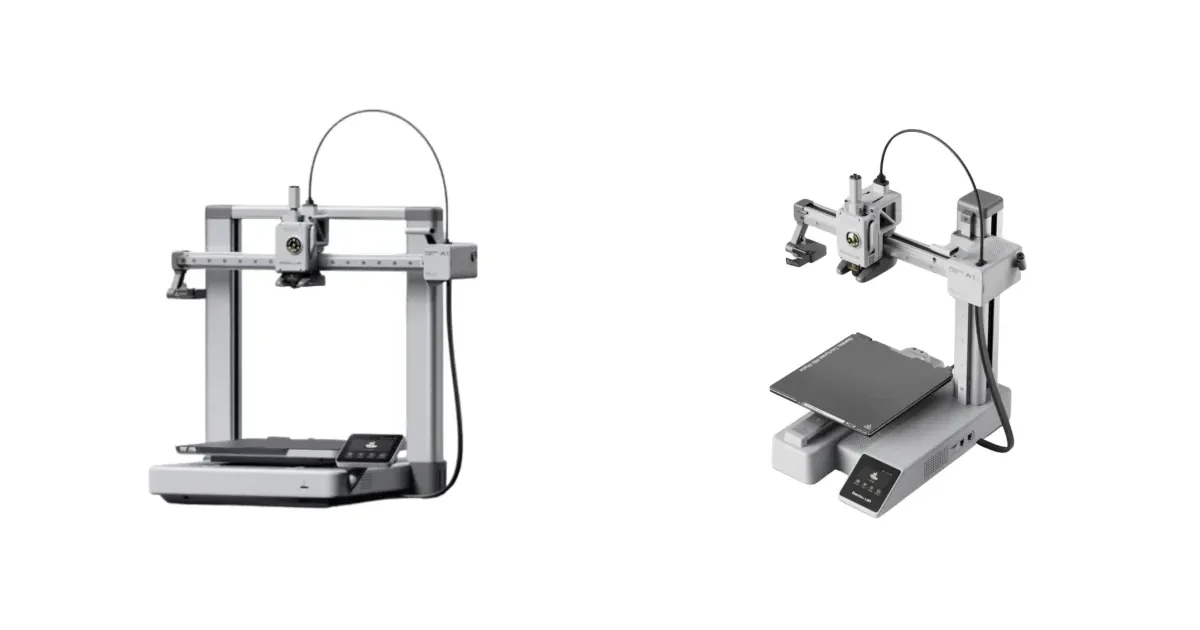
The A1 and A1 mini share the same core: fast bed-slinger motion, full auto calibration, and optional AMS lite for 4-colour printing. What actually separates them:
- Build volume: A1 mini prints up to 180×180×180 mm; the A1 gives you 256×256×256 mm — enough for full-size helmets, larger enclosures and batch plates.
- Budget: the mini is the cheapest way into the Bambu ecosystem; the A1 costs more but you rarely outgrow it.
Our advice after selling both: if you know you print small figures and parts, the mini is superb value. If you are not sure — take the A1; "too small" is the #1 upgrade regret we hear at our branches.
Both are on display at our 3 branches — come compare them side by side.
この記事で言及されている製品
Print My Designの全3店舗およびオンラインで、全国配送にてご利用いただけます。
Print My DesignチームがBambu Labから改編 · 2026-09-04公開 · seo ↗