Learn how to use the cold pull technique to clear a clogged Creality nozzle without disassembling your hotend.
What Is a Cold Pull — and Why Does It Work?
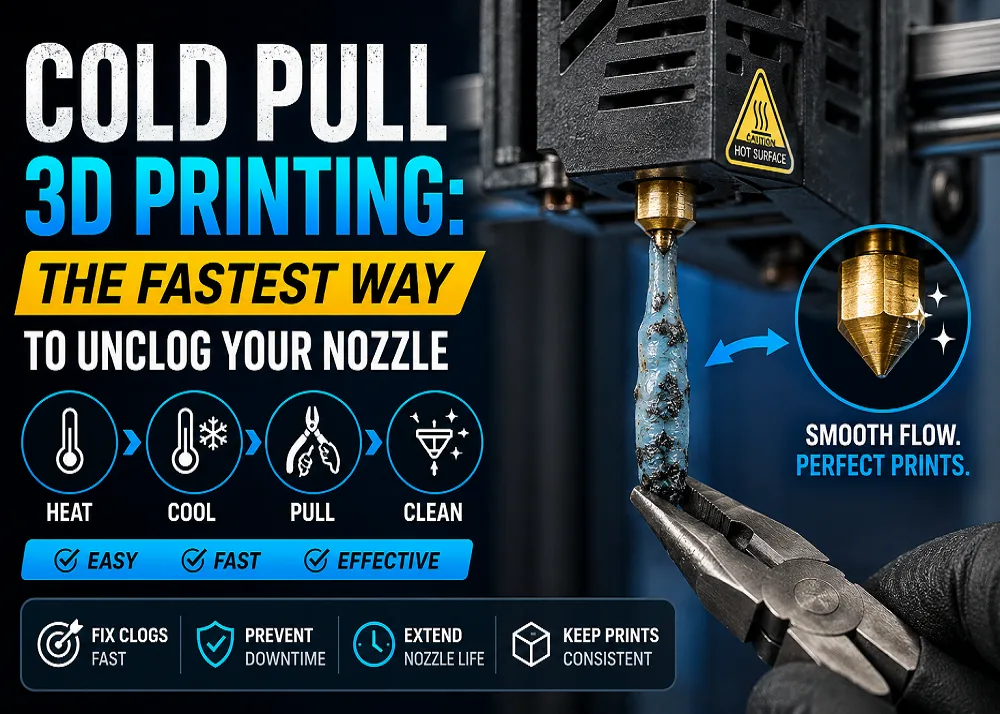
A clogged nozzle is one of the most common headaches in FDM printing, whether you run an Ender, K1, or K2 series machine. The cold pull — also called an atomic pull — is a maintenance technique that uses filament itself as a cleaning tool. Instead of pushing a clog out, you let the filament solidify around the debris, then extract everything in one firm pull. The trick works because plastic at a specific intermediate temperature is gummy enough to grip debris yet solid enough not to snap.
When Should You Reach for This Method?
Cold pulls excel at removing partial clogs caused by pigment residue, charred plastic fragments, or fine dust particles that accumulate over long print sessions or material changes. Watch for tell-tale signs: a clicking extruder, inconsistent layer thickness, or sudden under-extrusion mid-print. Note that a fully hardened blockage may need a nozzle cleaning needle first — cold pulls work best when the filament can still grip the obstruction.
What You Need
- Filament: Nylon is the top choice — it softens over a wide temperature range and grips debris reliably. PLA, PETG, or ABS work as alternatives. Specialty cleaning filaments are also available.
- Tools: Pliers, flush cutters, and heat-resistant gloves. Keep a nozzle cleaning needle on hand for stubborn cases.
Step-by-Step Process
1. Unload and prep — retract the current filament and trim a fresh, clean strand.
2. Heat to print temperature — push the new filament through until clean plastic extrudes consistently.
3. Cool while holding pressure — reduce the nozzle temperature (roughly 90 °C for PLA, 100–110 °C for PETG/ABS) while maintaining light downward pressure so the filament fills the melt zone.
4. Pull straight up — grip with pliers and pull vertically in one steady motion. A successful pull leaves a clean cone-shaped tip mirroring the nozzle bore.
5. Repeat if needed — dark specks or a deformed tip mean another pass is required.
Prevention Tips
Regular cold pulls between material changes, using a filament dust filter, and ensuring your hotend cooling fan is working properly all help keep clogs from forming in the first place. If cleaning fails repeatedly, inspect your hotend assembly — worn components may need replacement rather than cleaning.
Available at all 3 Print My Design stores and online with nationwide delivery.