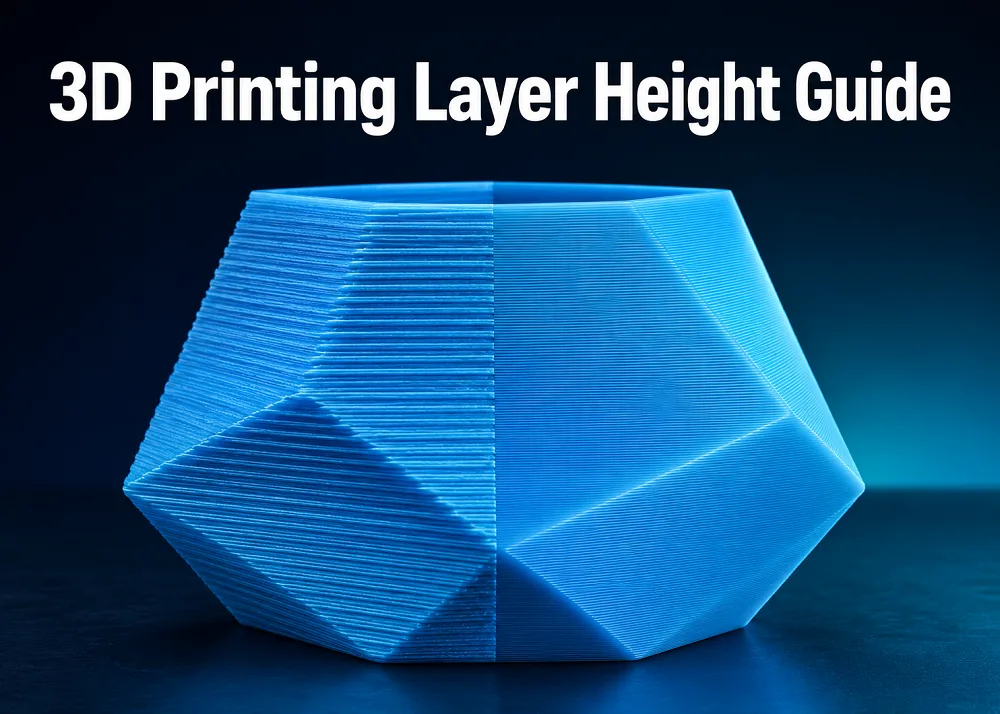
Learn how to choose the right 3D printing layer height for detail, speed, and strength — with practical tips for every use case.
What Is Layer Height and Why Does It Matter?
Layer height is the thickness of each individual slice your 3D printer deposits, measured in millimeters. Every object is built by stacking these layers on top of one another, so this single setting influences surface finish, print time, and how well layers bond together. Getting it right is one of the fastest ways to improve your prints.
Standard Layer Heights at a Glance
For a standard 0.4 mm nozzle, the practical working range sits between 0.1 mm and 0.3 mm. A useful rule of thumb is to keep layer height between 25 % and 75 % of your nozzle diameter for stable extrusion and reliable layer adhesion. When in doubt, 0.2 mm is the go-to default — it balances quality, speed, and consistency for most everyday prints.
Matching Layer Height to Your Use Case
- High-detail models (miniatures, display parts): 0.08 – 0.12 mm — smoother curves and finer surfaces, at the cost of longer print times.
- Functional parts (brackets, holders): 0.16 – 0.24 mm — a solid balance of strength, speed, and surface quality.
- Fast prototypes: 0.25 – 0.32 mm — quick turnaround when fit and size matter more than finish.
Does Layer Height Determine Strength?
Layer height has some effect on strength, but it is not the primary driver. Finer layers can improve bonding consistency, yet factors such as wall thickness, infill pattern and density, print orientation, and filament type have a far greater impact on overall part strength. Focus on those variables first when durability is the goal.
Key Takeaways
Start at 0.2 mm, then adjust based on your priorities: go lower for detail, go higher for speed. Always match your layer height to your nozzle size, and remember that stronger prints come from a combination of settings — not layer height alone.
Available at all 3 Print My Design stores and online with nationwide delivery.